 font inspector
You cannot legally copy the font files another website serves, but you can almost always get the same font the proper way. If it is a Google Font, download or embed it for free. If it is on Adobe Fonts, use it through a Creative Cloud subscription. If it is a commercial font, buy a web license from the foundry. If it is a system font, use the system-ui stack. If the budget is zero, pick an open alternative with similar proportions.
Can you just download the font from the site?
Technically, yes. Legally, no. Your browser has to download a font file to draw the text, so the file is always reachable. That does not make it yours. Fonts are licensed software. The site you are looking at paid for, or agreed to, a license that covers its own pages. That license does not extend to visitors, and taking the .woff2 from someone else’s server and putting it on your site is like copying any other paid software.
The good news: you rarely need to. Once you know the family name, there is a legitimate route to the same typeface, and for many sites it costs nothing. Which route depends on where the site gets the font from.
| Where the font comes from | How you get it | Cost |
|---|---|---|
| Google Fonts | Download it or copy the embed code | Free, open source |
| Adobe Fonts | Add it to a web project in your Creative Cloud account | Included with a subscription |
| Commercial font on the site’s own server | Buy a web license from the foundry or a reseller | Paid, model varies |
| System font such as SF Pro or Segoe UI | Do not ship it. Use the system-ui stack | Free |
| Any of the above, with no budget | Choose an open alternative with similar proportions | Free |
First, work out which case you are in
You need two facts: the real family name and where the file is served from. If you do not have the name yet, start with how to identify the font on any website. Then check the source by hand:
- Open DevTools, go to the Network panel, filter by Font, and reload the page. Each row is a font file the page downloaded.
- Read the domain of each file.
fonts.gstatic.commeans Google Fonts.use.typekit.netmeans Adobe Fonts. The site’s own domain or its CDN means the files are self-hosted. - If no font file loads for the text you care about, select the text, open the Computed tab and scroll to Rendered Fonts. A font marked as a local file is installed on your device, which usually means a system font.
One catch: self-hosted does not always mean paid. Plenty of sites download a Google Font and serve it from their own server, so search the family name on fonts.google.com before you assume you need to buy anything. The full set of signals is in how to tell if a site uses Google Fonts, Adobe Fonts or its own files.
Case 1: it is a Google Font
This is the easy one. Every family on Google Fonts is open source and free, including for commercial work. Most are under the SIL Open Font License, and some use the Apache License or the Ubuntu Font License. You can embed them, download them, install them on your computer and host the files yourself.
- Embed it. Open the family on fonts.google.com, pick the styles you need and copy the embed code into your page’s
<head>. - Self-host it. Download the family and serve the files from your own domain. This removes the request to Google’s servers, which some teams prefer for privacy and performance reasons.
- Use only what you need. Two or three weights are enough for most sites. Every extra style is another file to download. A variable version, where one exists, can cover the whole range in a single file. See variable fonts explained.
<link rel="preconnect" href="https://fonts.googleapis.com">
<link rel="preconnect" href="https://fonts.gstatic.com" crossorigin>
<link href="https://fonts.googleapis.com/css2?family=Inter:wght@400;700&display=swap" rel="stylesheet">If you want the detail on what the open licenses do and do not allow, read are Google Fonts free for commercial use.
Case 2: it is on Adobe Fonts
Adobe Fonts is a library that comes with a Creative Cloud subscription. The fonts in it are cleared for personal and commercial use for as long as the subscription is active. Search for the family on fonts.adobe.com. For design work, activate it and it appears in your desktop apps. For a website, add it to a web project and paste the embed code Adobe gives you.
<link rel="stylesheet" href="https://use.typekit.net/abc1def.css">.css are the ID of your own web project.Two limits matter here. First, you cannot self-host Adobe Fonts. The terms require the web fonts to load through Adobe’s embed code, so you may not download the files and put them on your own server. Second, the license belongs to the subscriber. If you build a site for a client, the fonts should load through the client’s own account, or the type will stop working when your subscription ends. If you need the same family as self-hosted files, buy that license from the foundry instead.
Case 3: it is a commercial font on the site’s own server
The font files sit on the site’s own domain and the family is not on Google Fonts. That usually means the site bought a web license from a type foundry. You can do the same, once you know who makes it.
Find the foundry
- Search the family name together with the word “font” or “foundry”. Most professional typefaces have a page on the maker’s own site.
- If the CSS name is an internal alias such as
brand-sans, look at the file name in the Network panel. It often contains the real family name. - Check resellers too. Many foundries also sell through large font marketplaces, sometimes with different license options.
- If nothing turns up, it may be a custom typeface made for that brand. Those are not for sale, and an alternative is your only route.
Buy the right license
A desktop license lets you install the font and design with it. It normally does not cover a website. For that you need a web license, and foundries price those in a few common ways:
| Model | How it works | Watch for |
|---|---|---|
| By pageviews | You pay for a traffic tier, usually monthly pageviews | Moving up a tier as the site grows |
| Per domain | One fee per website or domain | Extra domains, staging sites and subdomains |
| Subscription | An annual or monthly fee, sometimes for a whole library | Fonts stop being licensed when you cancel |
| One-time purchase | A single payment for a perpetual license, often with a traffic cap | What happens if you pass the cap |
Apps, ebooks, broadcast and logos are often licensed separately. The foundry’s license page spells this out, and it is worth emailing the foundry if your case is unusual. There is a plain-language overview in font licensing explained.
Case 4: it is a system font
If no font file loaded and the rendered font is a local file with a name like SF Pro, Segoe UI or Roboto, the site is using whatever is installed on your device. The same page looks different on a Mac, a Windows PC and an Android phone. That is the point: the text matches the operating system and nothing has to download.
You cannot put these fonts on your server. SF Pro belongs to Apple and Segoe UI belongs to Microsoft, and neither is licensed for you to redistribute or serve as a web font. Apple does offer SF Pro as a download, but its license limits it to mock-ups of interfaces for Apple platforms. To get the same look, ask for the system font by its generic name and let each device supply its own:
body {
  font-family: system-ui, -apple-system, "Segoe UI", Roboto,
    "Helvetica Neue", Arial, sans-serif;
}
system-ui resolves to the interface font of the platform. The names after it are fallbacks for older browsers.MDN notes that system-ui is meant for interface text and can be a poor choice for long paragraphs in some languages, so test it with your own content. How fallback order works is covered in CSS font stacks and fallbacks. If you want one consistent face on every device instead, see the open alternatives to SF Pro and Segoe UI.
Case 5: the budget is zero
A web license for a well-known typeface is not always possible for a side project or an early product. The honest fix is an open font with similar proportions, not a copied file. What readers notice is the overall texture: letter widths, x-height, weight and spacing. A close match on those gets you most of the way, even if individual letters differ.
- Compare the letters that carry the personality: lowercase a, g, e, t, uppercase R and G, and the numerals.
- Match the x-height first. Two fonts at the same size can look a full size apart if one has taller lowercase letters.
- Set a real paragraph and a real headline from your site in both fonts. Sample alphabets hide problems.
- Carry over the rest of the recipe: size, line height and letter spacing do as much work as the typeface. See line height and letter spacing.
We keep curated lists on the free alternatives pages, including Helvetica, Proxima Nova, Gotham, Futura, Avenir and Circular. To try a candidate against a partner font with your own text, use the font pairing playground.
The faster route: Get this font in Font Inspector
Everything above can be done with DevTools and a search engine. Font Inspector shortens it. Click the toolbar icon, choose Pick text on page and click the text. The panel names the family, shows the font actually rendered and labels the source: Google Fonts, Adobe Fonts, a self-hosted web font or a system font installed on your device. That label tells you which case you are in.
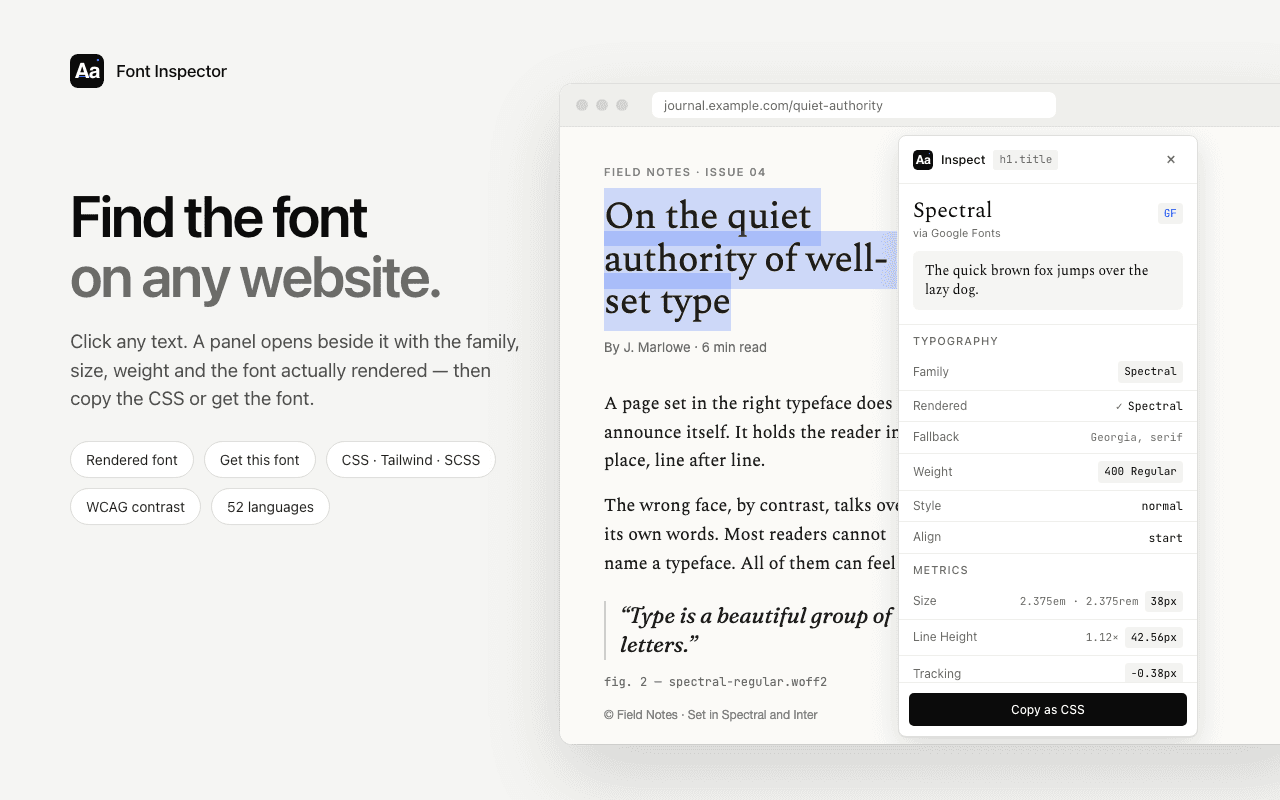
The Get this font section then does the legwork for each case:
- Google Fonts or Adobe Fonts: it opens the family on that service, where you can download it, embed it or add it to a web project.
- Self-hosted fonts: it lists the font files the page loads, so you can read the real family name from the file names, and it copies a ready
@font-facerule with absolute URLs. - Popular paid and system fonts: it suggests free Google Fonts look-alikes. The suggestions are computed locally, with no online lookup.
@font-face {
  font-family: "Example Sans";
  src: url("https://www.example.com/fonts/example-sans-regular.woff2") format("woff2");
  font-weight: 400;
  font-style: normal;
  font-display: swap;
}@font-face rule: family name, file URL and format, weight and style.The limits, stated plainly. Finding a font does not license it, and the extension cannot tell you what license a site holds. The look-alike suggestions are similar, not identical. And it reads live text only, so a font inside a logo image or a screenshot needs a different method.
Once you have the font, put it to work. There are step-by-step guides for matching a website’s font and text styles in Figma and for matching a website’s font in Canva.
Find the font, then find the legal way to get it.
Font Inspector’s Get this font section links straight to Google Fonts or Adobe Fonts, lists self-hosted font files, and suggests free look-alikes for paid typefaces. Free, no account.
Questions & answers
Is it legal to download a font from a website?
Not by copying the files that site serves. Fonts are licensed software, and the site’s license does not cover you. Get the font from its source instead: Google Fonts, Adobe Fonts or the foundry that makes it.
How do I use a font from another website on my own site?
Identify the family name, check where it comes from, then get it properly. Google Fonts are free to embed or self-host, Adobe Fonts need a Creative Cloud subscription, and commercial fonts need a web license from the foundry.
Can I self-host a font from Adobe Fonts?
No. Adobe’s terms require web fonts to load through the embed code from your own account. If you need self-hosted files, buy a web license from the foundry.
Can I use SF Pro or Segoe UI on my website?
You cannot host or redistribute them. Use the system-ui font stack, which shows the system font on each device without shipping any file, or pick an open alternative.
What if I cannot afford the font?
Choose an open source font with similar proportions. Match x-height, width and weight first, then test it with your real content. Our free alternatives pages list close matches for popular paid typefaces.
Related free tools: Font pairing playground
See it on real sites: What font does Tesla use? · What font does Duolingo use? · What font does Microsoft use? · What font does Wikipedia use?
Sources and further reading: Google Fonts: frequently asked questions · Google Fonts Knowledge: self-hosting web fonts · Adobe Fonts: font licensing FAQ · Adobe Fonts: web fonts from Adobe Fonts · Apple: fonts for Apple platforms · MDN: @font-face · MDN: font-family