 font inspector
Fontanello is about as light as a font identifier gets: right-click some text and read the typeface, weight, size, color and contrast ratio. It is the better choice if you want a quick answer with no interface at all, or if you use Firefox or an iPhone. Font Inspector also starts from a right-click, then goes further: the rendered font with fallback flags, the font’s source, every font on the page, copy as CSS, Tailwind or SCSS, and a local library. Both install free of charge, and Font Inspector needs no account.
The short answer
Fontanello and Font Inspector share a starting gesture. In both, you can right-click a piece of text to find out what it is set in. What happens next is the difference. Fontanello answers in the menu and gets out of your way. Font Inspector opens a panel with the full specification and tools to copy, save and compare.
If you check a font a couple of times a month out of curiosity, the lighter tool is likely all you need. If typography is part of your job, the extra depth pays for the extra panel.
What Fontanello does, according to its own pages
We read the Chrome Web Store listing and the official Fontanello site on September 20, 2026. Here is what they state.
- Activation. Right-click the text. The listing describes it as a way to “display the basic typographic styles of a text by right-clicking it”. The demo on the official site shows the values inside the right-click menu itself.
- What it shows. Typeface, weight, size and line height, color, letter spacing, font variants, font features, variable font settings, and a contrast ratio with its WCAG grade.
- Browsers. The official site links to versions for Chrome, Firefox and Edge, and to an iOS app for iPhone and iPad, where you select text and choose Fontanello from the menu you reach from the address bar.
- Size. The Chrome Web Store listing shows a download size of 16.02 KiB, which is very small.
- Privacy. The listing says the developer will not collect or use your data.
- Version. The Chrome Web Store listing shows version 1.3.0, with its last update as April 22, 2024.
The listing shows no in-app purchases and the official site mentions no price or account for the browser extension. The pages we opened do not say whether the typeface it names is the declared font or the one actually rendered, so we leave that open in the table below.
Feature comparison
Where a cell says “not mentioned”, the vendor’s pages do not describe the feature. That is not proof it is missing.
| Fontanello | Font Inspector | |
|---|---|---|
| How you start | Right-click the text | Right-click and Inspect Font, toolbar button, or Alt + Shift + F |
| Where the answer appears | In the right-click menu | In a panel beside the text |
| Typeface, weight, size, line height | Yes | Yes, with size in px, em and rem and line height in px and as a ratio |
| Letter spacing, variants, features, variable settings | Yes | Yes, when the page uses them |
| Color and contrast ratio | Yes | Yes, colors in HEX, RGB, HSL or OKLCH, with a WCAG contrast check |
| Rendered font with fallback flag | Not mentioned | Yes |
| Full fallback stack | Not mentioned | Yes |
| Font source (Google, Adobe, self-hosted, system) | Not mentioned | Yes |
| Every font on the page in one list | Not mentioned | Yes, ranked by share of text |
| Copy as CSS, Tailwind or SCSS | Not mentioned | Yes |
| Saved library, compare, export | Not mentioned | Yes, stored locally in the browser |
| Browsers | Chrome, Firefox, Edge, plus an iOS app | Chrome and Chromium browsers such as Edge and Brave |
| Price and account | No price or account mentioned | Free, no account |
When Fontanello is the better choice
- You want zero interface. The answer lives in a menu you already know. There is no pick mode, no panel and nothing to close afterwards.
- You care about footprint. At about 16 KiB according to its listing, it adds almost nothing to your browser.
- You use Firefox. Fontanello has a Firefox version. Font Inspector does not. Firefox also has a capable built-in Fonts tab, covered in how to find a font in Firefox, Safari and Edge.
- You want to check fonts on an iPhone or iPad. Fontanello offers an iOS app. Font Inspector has no iOS version.
- You only need the basics, plus contrast. Typeface, weight, size, color and a contrast grade cover most casual questions.
That is a real niche, and Fontanello fills it neatly. There is no reason to install a larger tool for a question you ask twice a month.
When Font Inspector is the better choice
- You need to know which font is really drawn. Font Inspector shows the declared family, the full fallback stack and the rendered font, and flags the case where they differ. If that distinction is new to you, read CSS font stacks and fallbacks.
- You want to choose the element precisely. In pick mode you hover to preview, click or press
Shiftto lock, and use↑and↓to move to the parent or child element. It also works inside iframes. - You want the whole page. Fonts on this page lists every family ranked by share of text, with weights, sizes and fallback warnings. See how to see all fonts on a page.
- You are going to reuse the values. Click any value to copy it, or copy the full style as CSS, Tailwind classes or SCSS variables, as shown in copy typography as CSS or Tailwind.
- You want to get the font. Get this font opens the family on Google Fonts or Adobe Fonts, lists the files of a self-hosted font, and suggests free look-alikes for popular paid fonts. Look-alikes are similar, not identical.
- You keep references. Every inspection is saved locally. Pin favorites, build collections, compare up to four fonts side by side and export as JSON, CSS variables or design tokens.
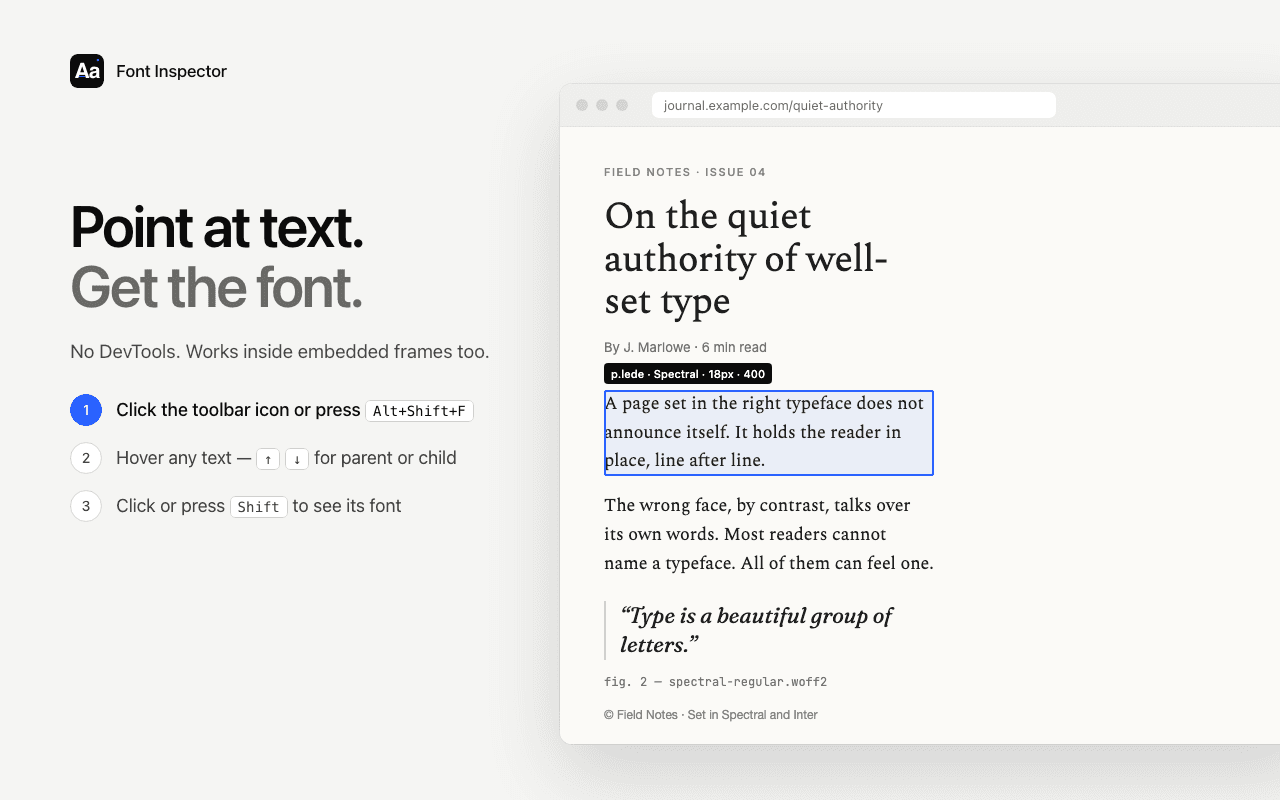
Right-click, Inspect Font, and get the full spec.
Font Inspector starts from the same right-click and adds the rendered font, its source, every font on the page and copy as CSS, Tailwind or SCSS. Free, no account.
Font Inspector as a Fontanello alternative
If you are searching for a Fontanello alternative, here is what carries over and what does not.
What carries over
- Right-click, Inspect Font. The same starting point, plus a pick mode with a keyboard shortcut.
- The basics with contrast. Typeface, weight, size, line height, letter spacing, colors and a WCAG contrast check.
- Free, no account.
What you give up
- Firefox and the iOS app. Font Inspector runs in Chrome and Chromium browsers only.
- Having no interface at all. Font Inspector opens a panel. Fontanello stays inside the context menu.
How to try both side by side
Both tools add an item to the right-click menu, and they sit there together without trouble. That makes a direct test easy.
- Install both, then refresh the page you want to test.
- Right-click a headline. Read Fontanello’s answer in the menu, then choose Inspect Font from the same menu and compare.
- Repeat on body text and on a button. Small interface text is where size and weight differences are easiest to misjudge by eye. Our guide on finding font size and line height explains what the numbers mean.
- Try a page where you suspect a fallback, for example one that flashes a different font while loading. Check what each tool reports.
- Ask yourself how often you needed more than the menu gave you. If the answer is rarely, keep the lighter tool. If it is often, keep Font Inspector. Keeping both costs nothing.
For a wider view of the options, see the best font identifier extensions compared. And if you would rather not install anything, the website font checker shows the fonts a site declares from its URL.
Questions & answers
What is a good Fontanello alternative?
Font Inspector is a free alternative for Chrome and Chromium browsers. It also starts from a right-click, and adds rendered font detection, a list of every font on the page, copy as CSS, Tailwind or SCSS, and a local library.
Is Fontanello free?
Its Chrome Web Store listing shows no in-app purchases, and its official site mentions no price or account for the browser extension.
Does Fontanello work in Firefox?
Yes. The official Fontanello site links to versions for Chrome, Firefox and Edge, and to an iOS app. Font Inspector is not available for Firefox or Safari.
Can I have Fontanello and Font Inspector installed together?
Yes. Each adds its own item to the right-click menu, and they do not interfere with each other.
Related free tools: Website font checker · PX to REM converter
See it on real sites: What font does Figma use? · What font does Canva use? · What font does Shopify use? · What font does Slack use?
Sources and further reading: Fontanello on the Chrome Web Store · Fontanello: official site