 font inspector
A library of every font you have admired
Good references disappear the moment you close the tab. Font Inspector keeps every inspection in a library inside your browser, so your next project starts from a shortlist instead of a blank page.
What it does
- Every inspection is saved automatically, with the site it came from.
- Filter by sans, serif, mono or display and by source. Browse by site or by family.
- Pin favorites and group fonts into collections for each project.
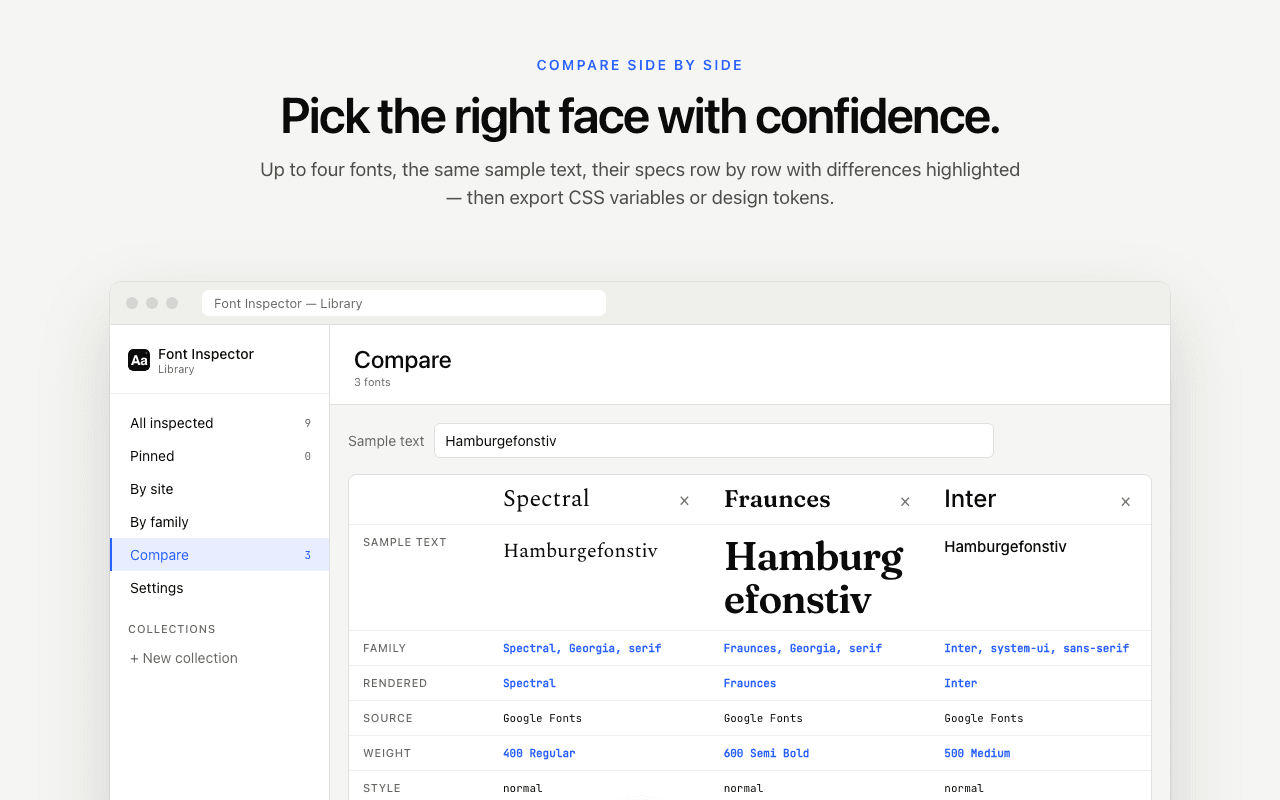
- Compare up to four fonts side by side with the same sample text, with differences highlighted.
- Export as JSON, CSS variables or design tokens, and import a library back.
- Light, dark or system theme.
How to use it
- Inspect fonts as you browse. They collect in the library on their own.
- Open the library from the popup.
- Pin, group, compare, and export what you want to keep.
Good to know
- The library lives in your browser’s local storage. It is not a cloud backup and it does not sync between devices.
- Clearing the extension’s data or uninstalling removes it, so export anything you want to keep.
Go deeper
Questions & answers
Where is my font library stored?
Locally in your browser. Nothing is uploaded, and there is no account.
Can I move my library to another computer?
Yes. Export it as JSON on one computer and import the file on the other.
Can I export fonts as design tokens?
Yes. The library exports typography as CSS variables or as design tokens, as well as plain JSON.
How many fonts can I compare at once?
Up to four, side by side, with the same sample text, so differences in width, weight and x-height are easy to see.
What happens to my library if I uninstall the extension?
Uninstalling removes the extension’s local data, including the library. Export it as JSON first, and you can import the file again later.
Do I need an account to save fonts?
No. Font Inspector is free and has no accounts. Saving, collections, compare and export all work without signing in.